In this post, we’ll explore the Salesforce Apex Code Best Practices. Apex is the core programming language for building custom logic on the Salesforce platform. Just like any other language, following the right coding standards helps ensure your code is efficient, scalable, and maintainable. In this guide, we’ll go through the essential Apex code best practices that every Salesforce Developer should follow to avoid common pitfalls and optimize performance.
Salesforce Apex Code Best Practices
Now, let’s get started with Apex Code Best Practices that should be followed while working on the Apex.
1. Bulkify Your Apex Code
Bulkify your code simply means that your code should be able to handle large data efficiently without any issues. This mainly applies to the trigger, where a large number of records may need to be processed at once, e.g., from a data loader. If your code is not written to handle a large amount of data, then an error will be thrown, and the code might lead to unexpected behaviour. We should write scalable Apex code and avoid governor limits. Always assume multiple records will be processed.
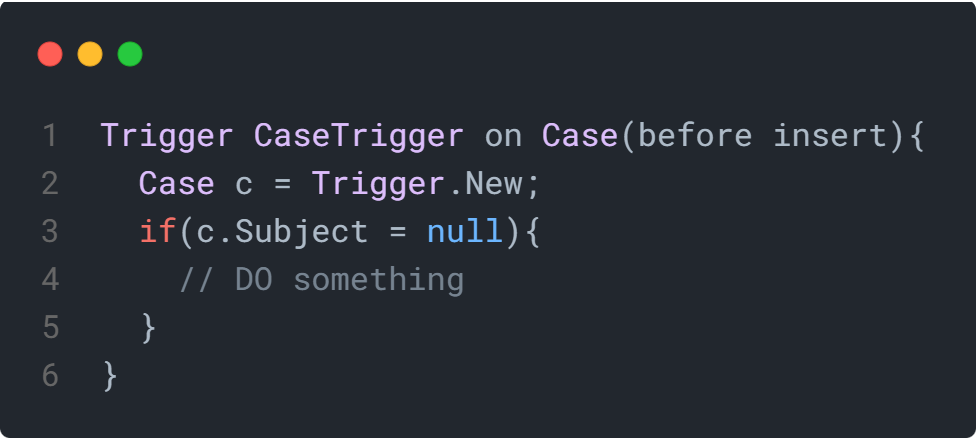
The code below is an example of a trigger that hasn’t been written with bulkification in mind. In CaseTrigger, only the first case record would be processed, and any other case records would not be processed.
Wrong Approach – Bulkify Your Apex Code

The code below shows how we can bulkify the above CaseTrigger. Instead of using Trigger.New[0], we can use Trigger.New to accessing all the records.
Correct Approach – Bulkify Your Apex Code
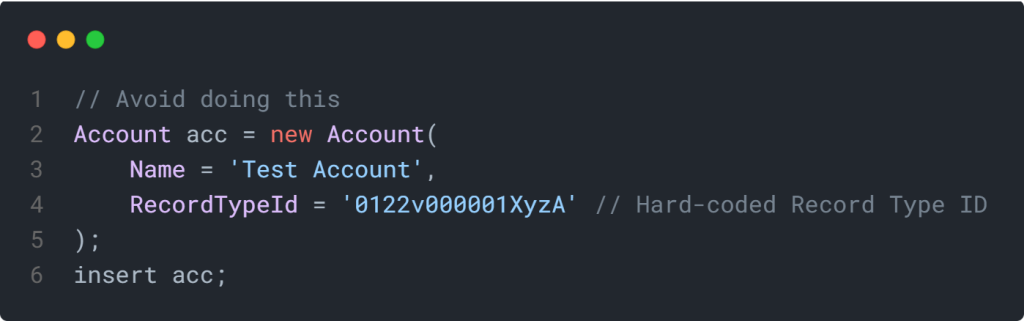
2. Avoid Hard-Coded IDs
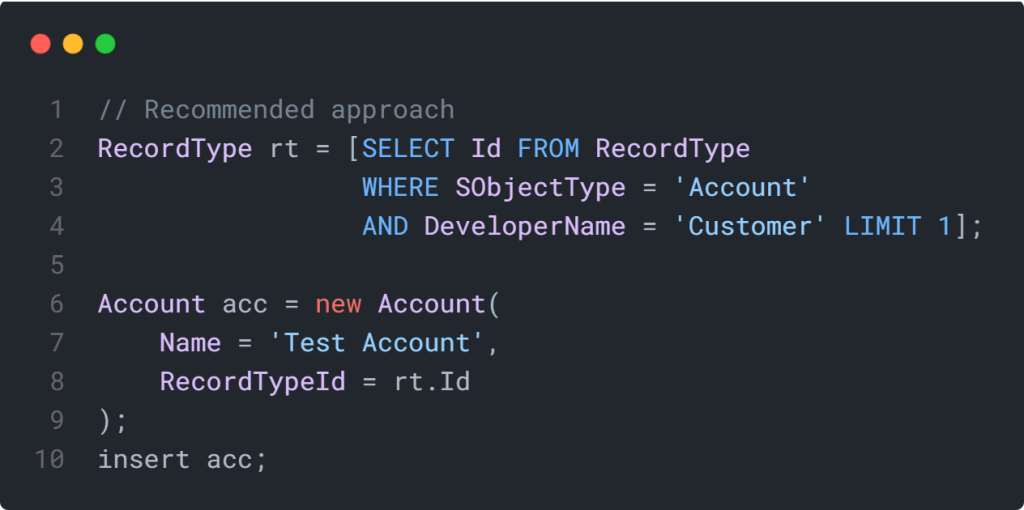
Hard-coding record IDs in the Apex code might seem convenient at first. Hard-coded IDs such as Record Type IDs, Profile IDs, or User IDs may result in functionality failure while deploying the Apex Code across environments (like from Sandbox to Production). The Production will have different Record IDs, Profile IDs, or User IDs.
Instead of using the Hard Code IDs, use a dynamic reference to fetch the IDs. SOQL queries, Custom Settings, or Custom Metadata Types can be used to fetch IDs.
Wrong Approach – Hard-Coded ID
Correct Approach – Dynamic Query for Record Type ID
3. Avoid SOQL & DML inside the for Loop
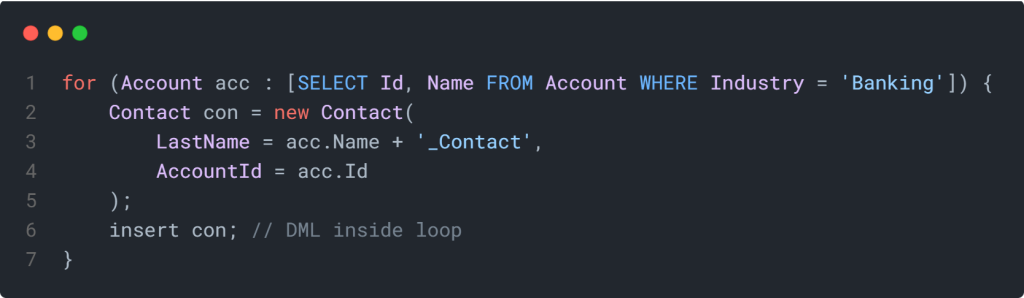
Imagine querying a large amount of data, performing DML operations on it for specific contexts. You may query or perform DML operations inside the for loop. While it might work for small data sets, it quickly becomes problematic as your org grows.
But, do not perform SOQL/ DML operations inside the for loop. Each iteration will perform the database operations, which may hit the governor limits. This leads to runtime errors such as “Too many SOQL queries: 101” or “Too many DML statements: 151”.
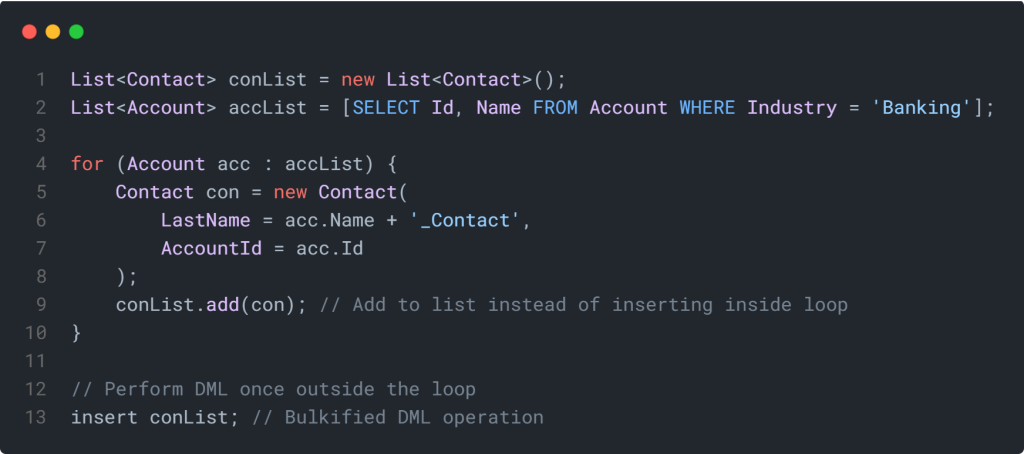
Solution
- Collect data in lists or maps inside the loop.
- Perform SOQL queries before the loop.
- Execute DML operations after the loop.
Wrong Approach – SOQL/DML Inside For Loop
Correct Approach – Bulkified Code
4. Write One Trigger per Object
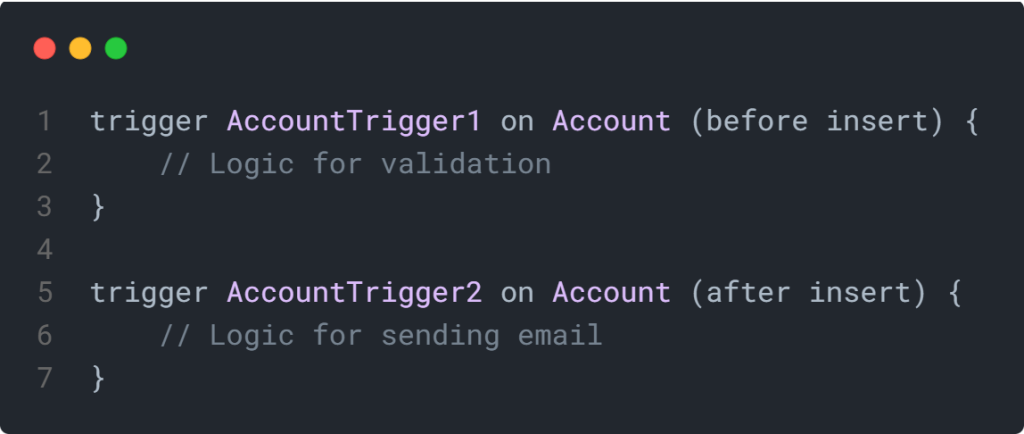
One of the golden rules of Salesforce development is to write only one trigger per object. Having multiple triggers on the same object can create serious problems. The unpredictable execution order, duplicate logic, and governor limit issues. Writing multiple triggers can lead to inconsistent behavior and debugging headaches. Also, we can not control the order of execution of triggers on a single object.
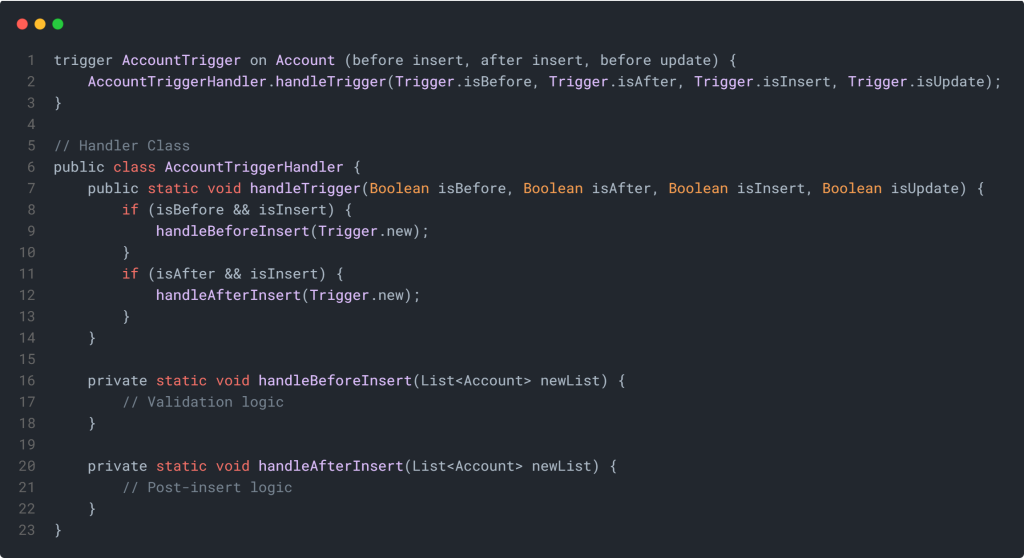
Instead, follow the “One Trigger per Object” pattern and write your business logic in Handler Classes.
Wrong Approach – Multiple Triggers on Same Object
Correct Approach – Single Trigger + Handler Class
Pro Tip:
Use a Trigger Handler Framework to manage your triggers efficiently. This approach will help you maintain clean, scalable, and testable code. Popular patterns include Trigger Factory and Handler Classes.
5. Avoid Nesting Loops Within Loops
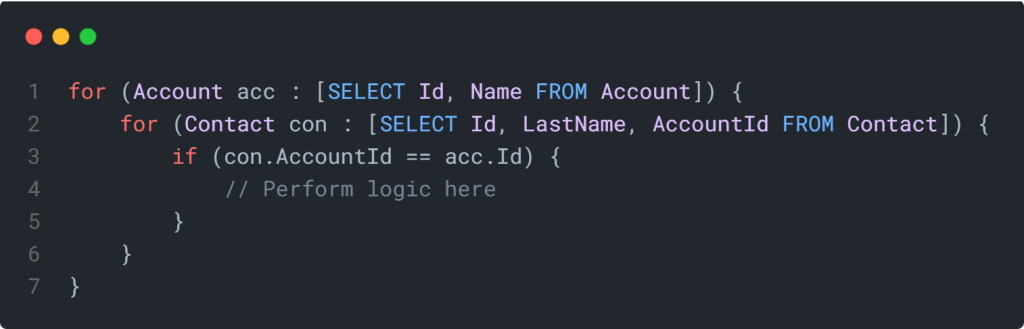
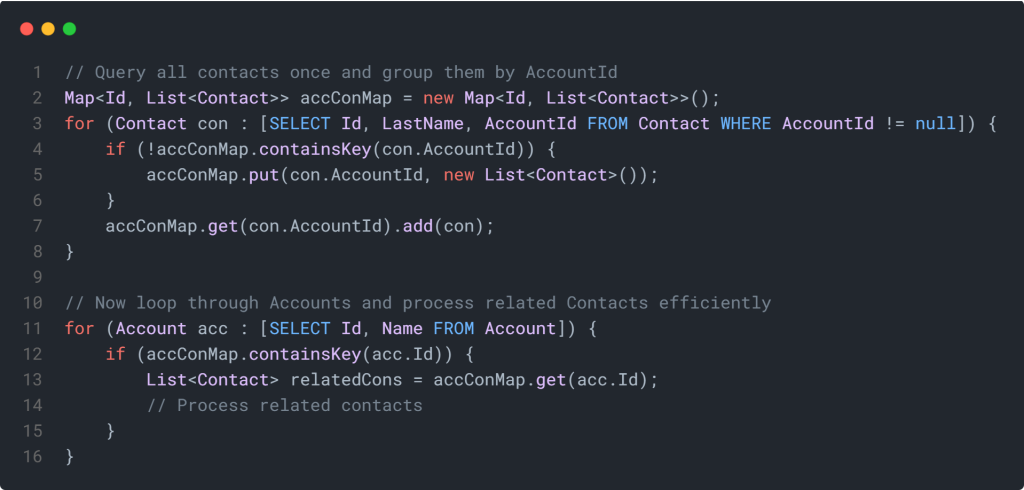
Nesting one loop inside another may seem like a quick way to compare or process related records. Whenever nested loops are used in the Apex Code, it leads to executing a large number of iterations. Also, this can quickly lead to governor limit exceptions and degraded performance, especially when handling bulk data. Instead of looping inside another loop, use maps or sets to relate data between objects efficiently.
Wrong Approach – Nested Loops
Correct Approach – Use Maps for Efficient Lookup
More Salesforce Apex Code Best Practices are coming soon.
Related Resources
- Salesforce Chrome Extensions: The Definitive Guide – 2026
- 5 Key Copado Salesforce deployment automation benefits
- Salesforce Governor Limits with Examples
- Apex Triggers in Salesforce: A Complete Guide
- Generate a PDF in Salesforce with Apex
Summary
This article covered some of the most important Salesforce Apex code best practices to help you write cleaner and more efficient code. We discussed how to bulkify your code to handle multiple records, avoid SOQL and DML inside loops to prevent hitting governor limits, and maintain a single trigger per object for better structure and control.
By following these principles, you’ll be well on your way to writing scalable, high-performing, and maintainable Apex code — setting yourself up for long-term success as a Salesforce Developer.
Remember: Great Salesforce developers don’t just write code — they architect solutions.
Keep learning, keep optimizing, and keep building smarter!
Explore More Blogs